Speaker diarization tool for multi-speaker transcripts
Automated transcription often mixes up speakers or merges turns. Tamleli Pro gives you a transcript with initial speaker labels, then lets you reassign speakers, split segments and clean up the transcript in a continuous workflow—so the final output accurately reflects who said what.
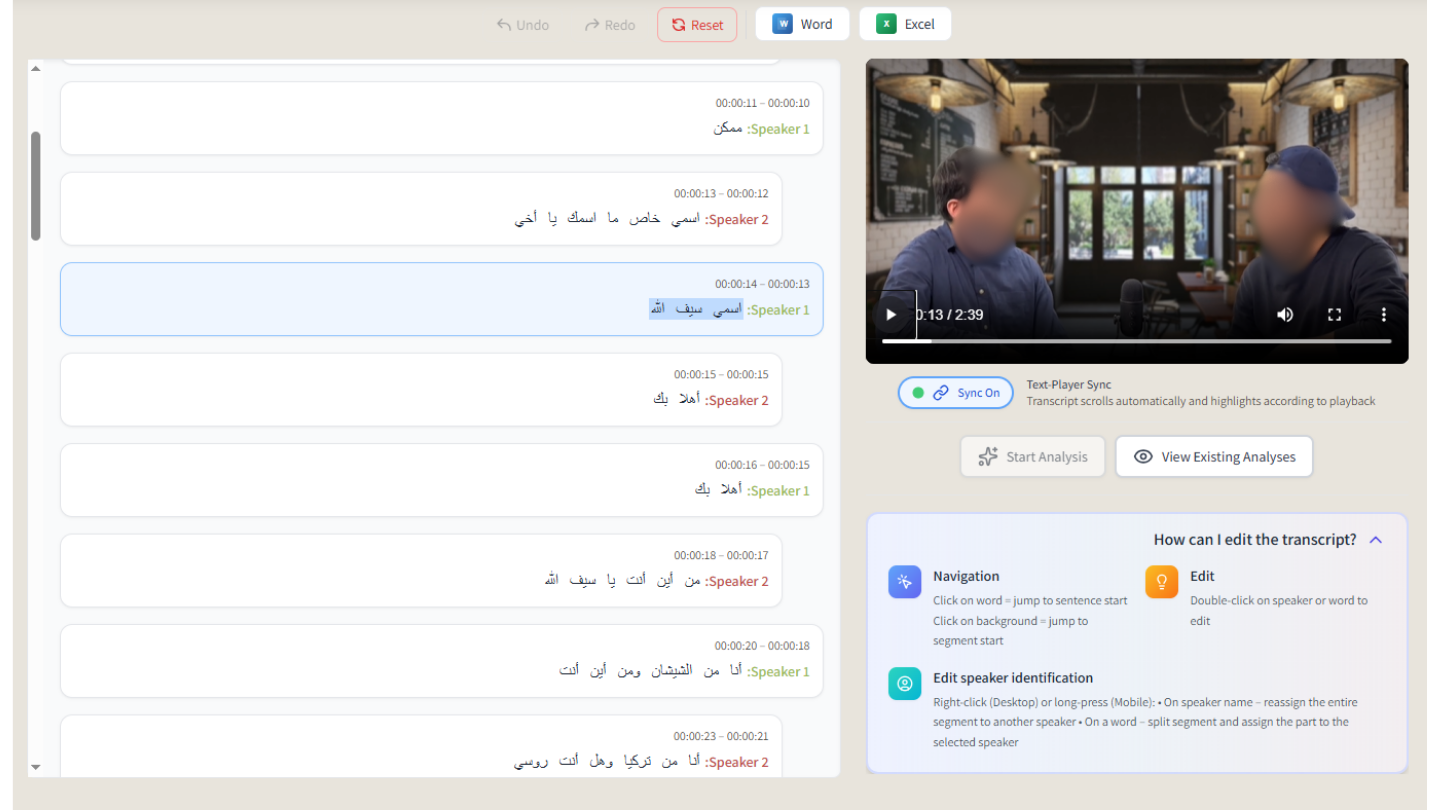
Multi-speaker transcript with clear speaker separation.
Why speaker labels matter
Raw transcription may group several speakers into one block or mislabel them. For research, meetings and interviews, correct attribution is essential. Tamleli Pro starts with automatic speaker detection and then puts editing in your hands: reassign a segment to another speaker, split a long segment into two, and return quickly to your last edit so you can work through the transcript without losing place.
How Tamleli Pro helps
After transcription, you get a segment-based view with speaker labels. Change the speaker of any segment with a few clicks, split a segment when one block contains two speakers, and keep editing in one flow. The interface is built for fast correction so you can polish the transcript without switching tools.
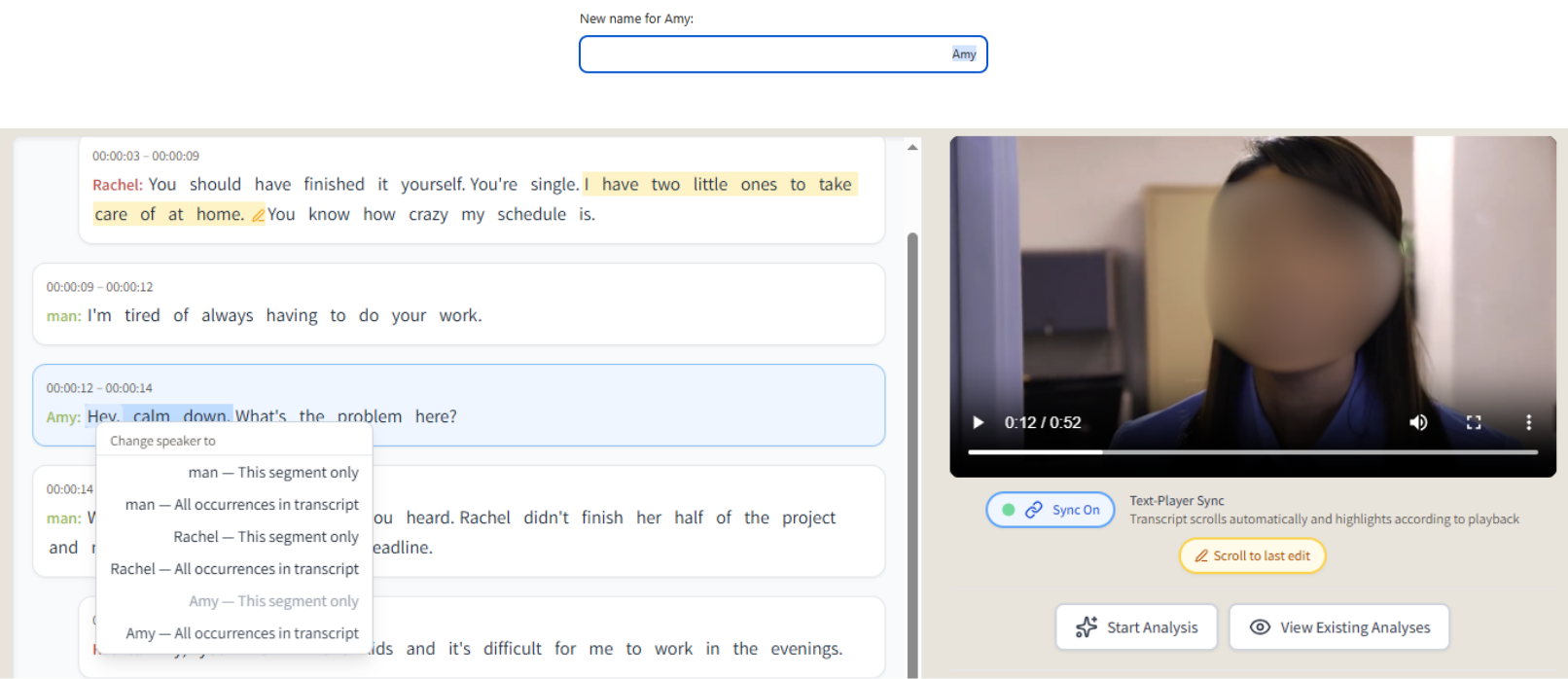
Reassign speaker labels in the editor.
Unique workflow advantages
- Speaker reassignment — Fix misattributed segments by assigning them to the correct speaker.
- Segment splitting — Split a segment when it contains more than one speaker.
- Continuous editing workflow — Edit, then jump back to the most recent change and keep going.
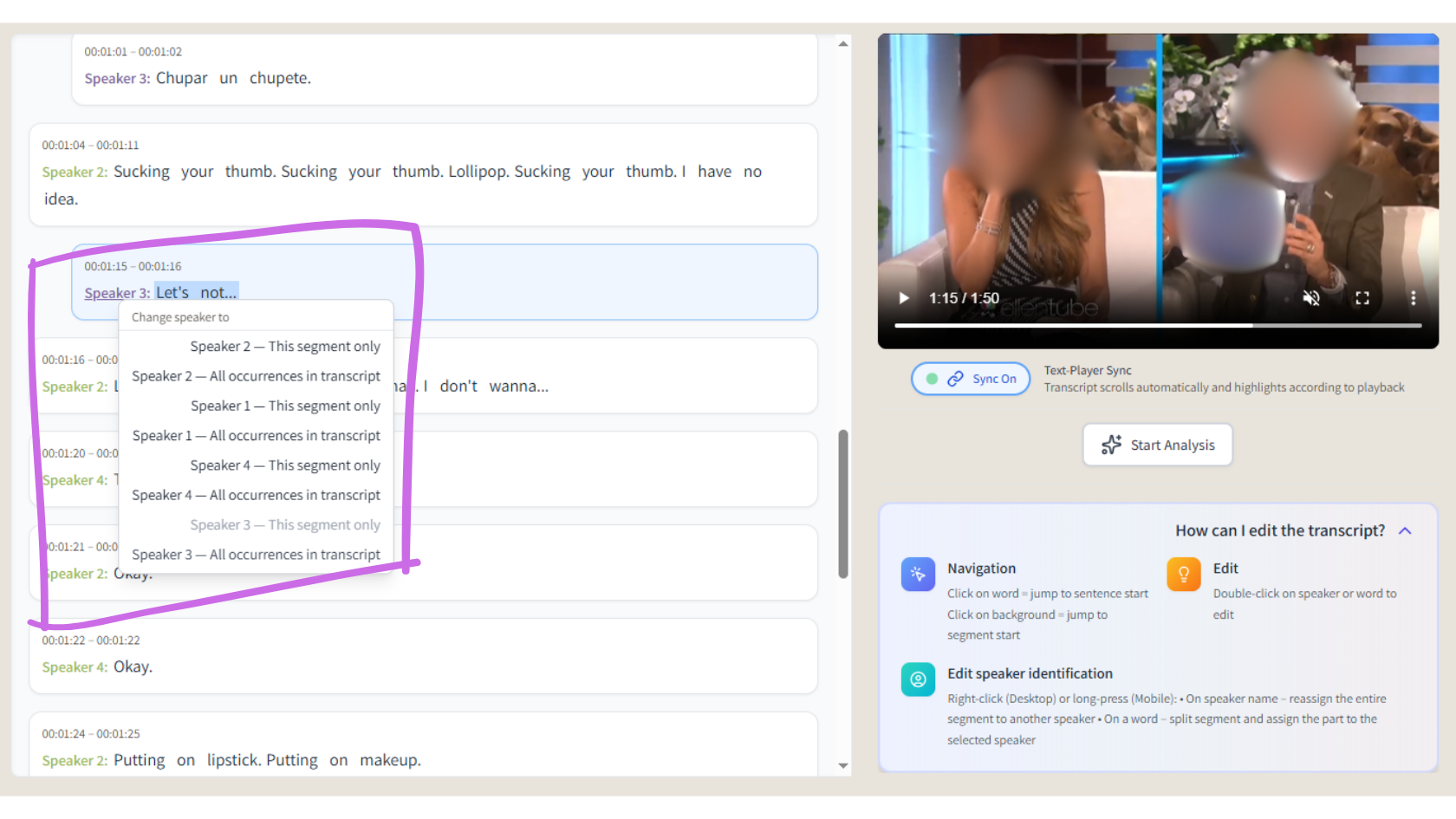
Split segments for accurate speaker attribution.
Use cases
- Researchers who need accurate speaker attribution in interview transcripts.
- Teams transcribing meetings where it's critical to know who said what.
- Anyone working with multi-speaker audio who wants to correct and refine labels without leaving the transcript.
Start using Tamleli Pro
Upload audio, generate structured transcripts, refine speaker labels, organize your files by project, and create interactive AI summaries.
Open Tamleli Pro